Knowledge base
The knowledge base holds your store's rules that AI in chat uses to answer customers: delivery, payment, returns, warranty, and sizes. The AI knows nothing about the store beyond the knowledge base and the customer's data, so the more complete the base, the more questions the bot resolves on its own.
Open Chats → Knowledge base (the button in the section header, or quick search with Ctrl K). Manager and above can edit the base. The knowledge base is available on all plans, so you can fill it in ahead of time.
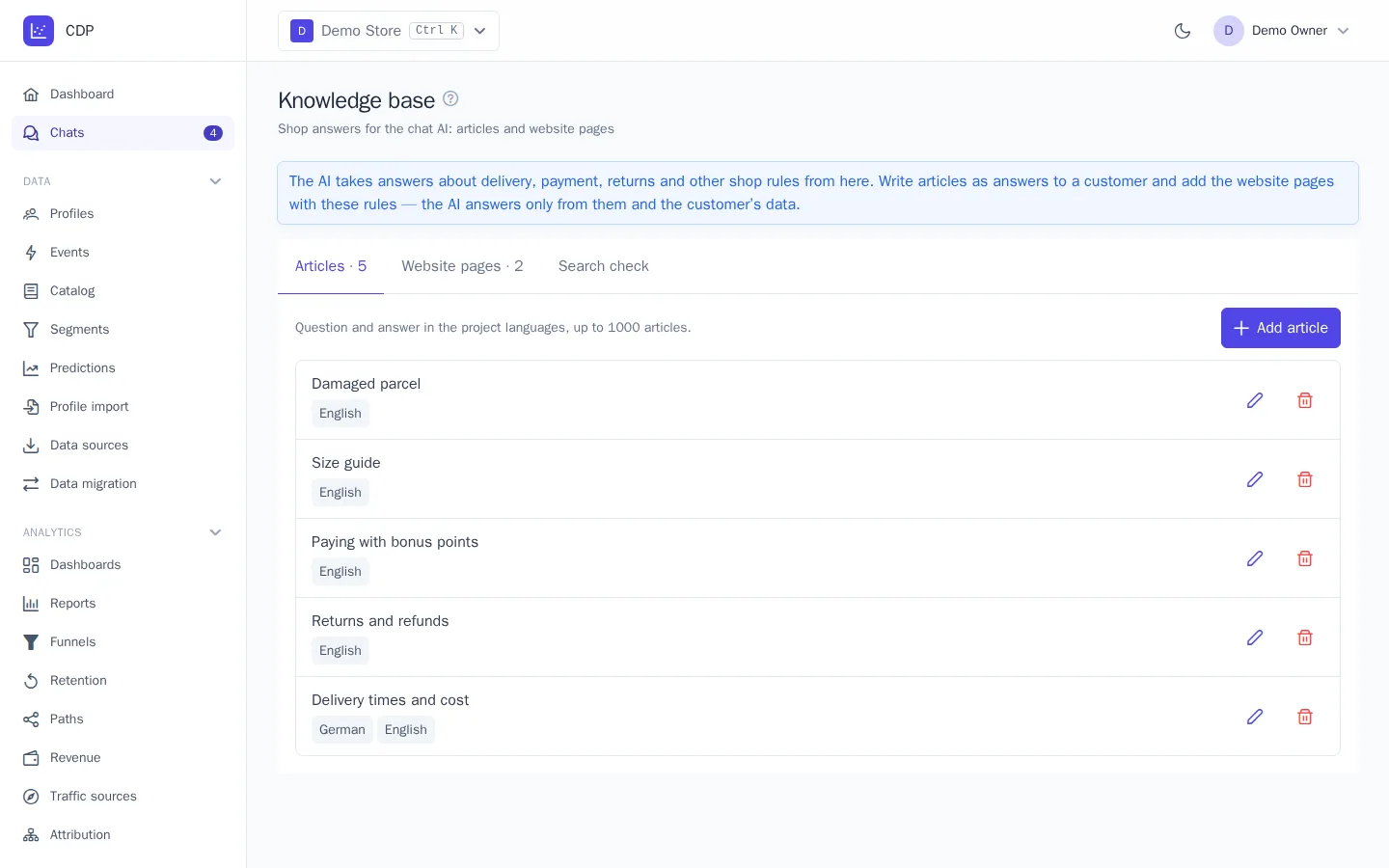
Articles
An article is a question and an answer. Write the answer the way you'd reply to a customer: times, amounts, conditions, and links.
- On the Articles tab, click Add article.
- Fill in the Question and Answer. If the project has several languages, switch the language above the fields and fill in the translation: the AI answers in the customer's language.
- Click Save.
An article with Use in AI answers turned off isn't used in answers but stays in the base. A project can have up to 1,000 articles.
Website pages
If your rules are already on the website, add the pages instead of rewriting them as articles.
- On the Website pages tab, paste the Links, one per line, up to 50 at a time.
- Choose the pages' Language or leave Detect from the page.
- Choose how often to Re-read the pages: every day or every week.
- Click Add.
A page is read right away. Only its main text is taken, without the menu, header, and footer. Each page shows a status: Waiting to be read, Read with the date and text size, or Error with the reason. If a page becomes unavailable, the text from the previous read is kept. The Read now button re-reads a page outside the schedule, and Page settings let you change the language, schedule, and whether the page is used. A project can have up to 200 pages.
Add pages with your rules: delivery, payment, returns, warranty. There's no need to add the catalog or blog to the knowledge base: the AI learns about products from the catalog.
Search check
On the Search check tab, ask a question the way a customer would, for example "can I return an item after a month?". You'll see the article and page fragments the AI gets. If nothing is found, or the wrong thing is, add an article that answers this question.